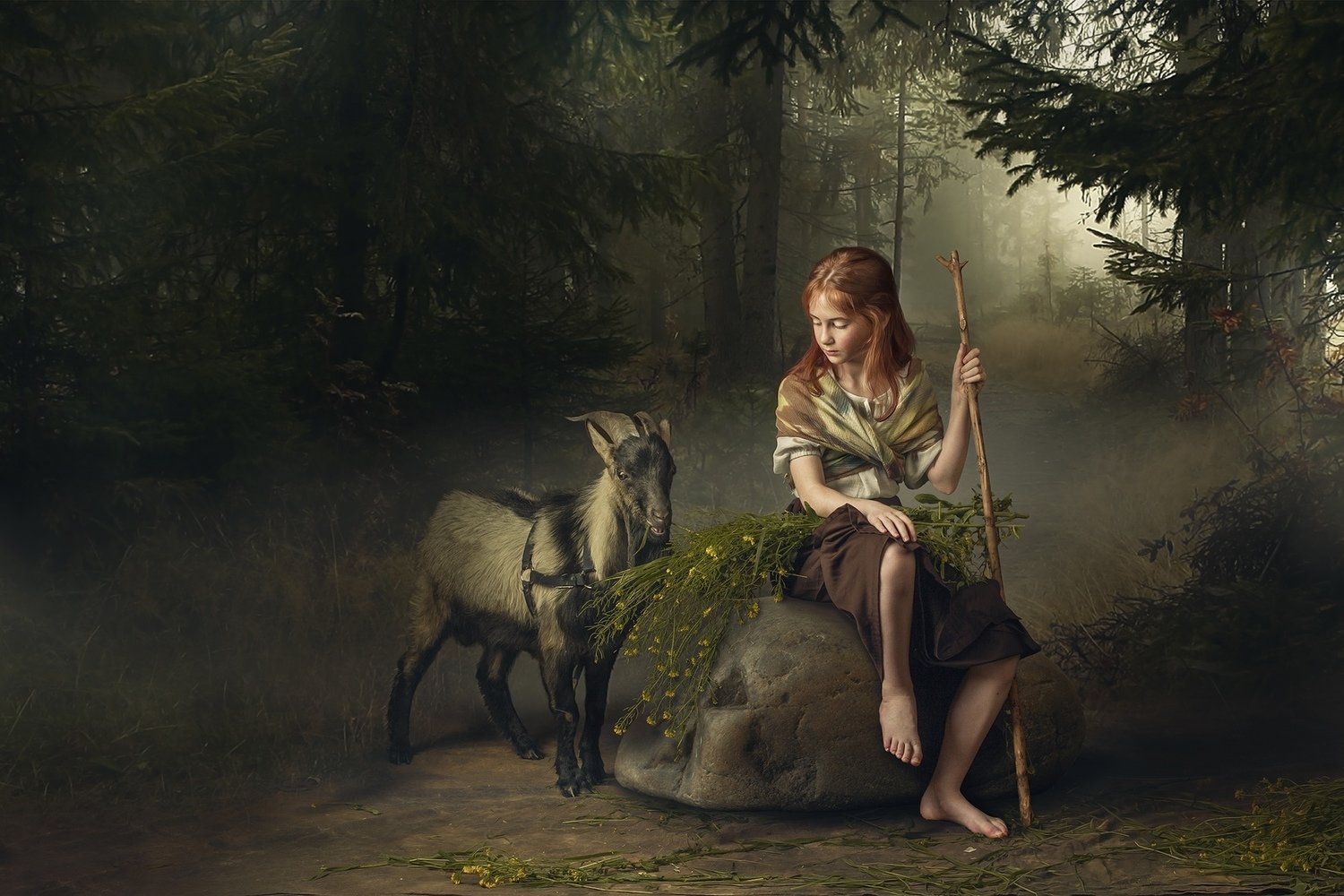
Video lesson "Girl with goat&flowers"
$50.00
In stock
Save this product for later
Video lesson "Girl with goat&flowers"
Product Details
Video lesson "Girl with goat&flowers"
"Girl with Goat&Flowers".
In this Photoshop tutorial I will show you techniques for editing a children photo using author's toning.You'll learn about studio lighting scheme that create a painting feel,about posing and you'll also learn how to achieve eye-catching and exciting color grading. All these techniques will help you create an image that is close to the work of the great artists of the Renaissance.
Plan of lesson:
1.creating costumes for a photo shoot
2.model posing
3.studio lighting diagram
4.the entire photography workflow in Lightroom
5.the entire photography workflow in Photoshop
separating the model from the background
creating a new background
creating aerial perspective , sfumato effect
working with model's hair
working with goat hair
6.Oil paint action Photoshop
7.Author's toning of photographs
Video-lesson includes 126 min entire workflow video, psd-file with all layers .
TABLE OF CONTENT:
1. 126 min workflow video.
2. 4 psd files with all layers.
3. 3 textures files
4. Action "Oil painting effect"
5. Hair brush set
6. Cloud brush set
This product is a download product only (Around 6,19 Gb of data)
You May Also Like
For Child Photographers
Fine Art Photoshop Editing — Children Bundle (8 Lessons)
Fine Art Photoshop Editing — Children Bundle (8 Lessons)
Downloadable fine art Photoshop lessons with layered PSD files. Learn real depth, softness, and atmosphere in child photography — not presets.
$179.00
Best Value
Fine Art Photoshop Editing: Complete 12-Lesson System
Fine Art Photoshop Editing: Complete 12-Lesson System
Downloadable fine art Photoshop lessons with layered PSD files. Learn real depth, softness, and atmosphere in child photography — not presets.
$200.00
Display prices in:USD